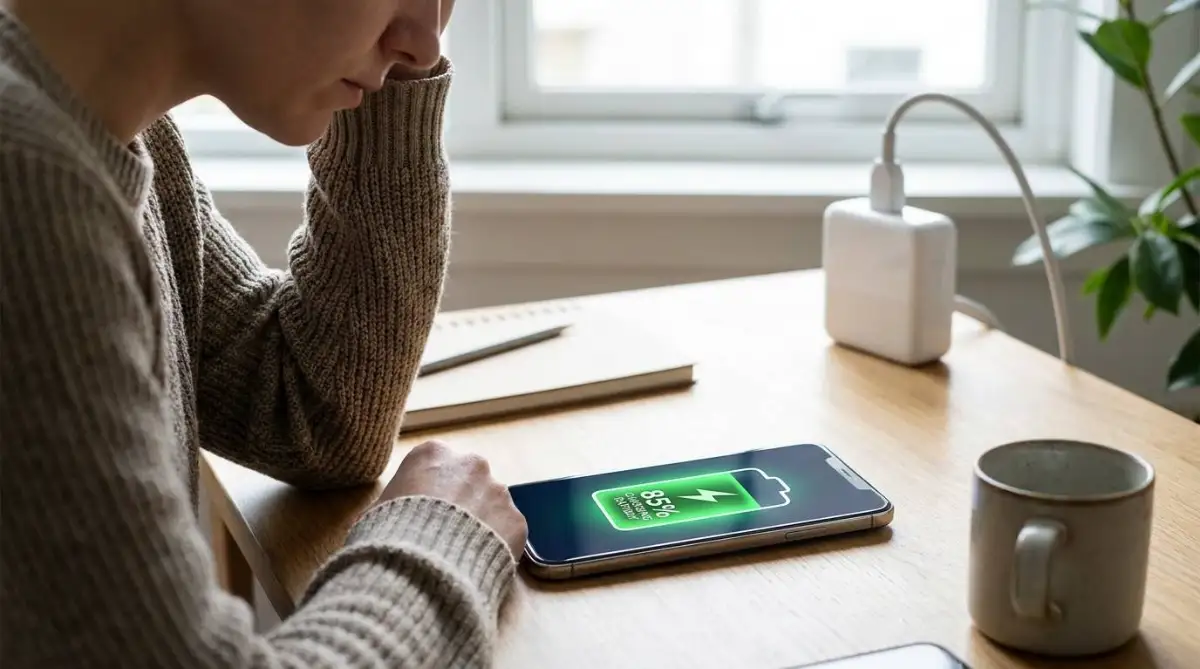
If you want to know how to stop phone overheating while charging, the fastest fix is to remove the phone case, unplug the device, and let it sit on a hard surface for ten minutes. Heat during charging usually comes from trapped airflow, using the phone while plugged in, or using a faulty charging cable.
I ruined one battery by playing heavy games while fast-charging my phone on a bed. The battery swelled up within a month.
When a battery takes in power, it naturally generates heat. If that heat cannot escape, the internal temperature spikes, which degrades battery health and can even damage the motherboard.
Here is exactly how to fix the problem right now.
Immediate Steps to Cool a Charging Phone
Take the Phone Case Off
Most phone cases are made of silicone, plastic, or rubber. These materials are excellent insulators, meaning they trap the heat your battery generates during a charge.
If your phone feels hot to the touch, strip the case off immediately. Leaving the phone bare allows the aluminum or glass back to act as a heatsink and dissipate the heat into the air.

Move to a Hard, Cool Surface
Never charge your phone on a bed, pillow, or couch. Fabric absorbs and holds onto heat, creating a localized oven around your device.
Always place your phone on a hard surface like a wooden desk, a nightstand, or a stone countertop. These materials naturally draw heat away from the device.
Hardware Fixes for Charging Heat
Ditch Cheap Cables and Adapters
Using a frayed cable or a cheap gas station power brick is a massive fire hazard. Low-quality cables have poor internal wiring that creates electrical resistance, and resistance creates excess heat.
If your phone is getting dangerously hot, swap out your current charger for the official cable that came with the device. Often, a bad cable is also the main reason why your phone is charging slowly.
Stop Using Wireless Chargers
Wireless charging is convenient, but it is highly inefficient. A significant portion of the electricity transferred from the pad to your phone is lost as ambient heat.
If your phone already runs hot, a wireless pad will only make it worse. Switch back to a standard wired connection until you get the temperature under control.
Software Settings to Change Right Now
Disable Fast Charging on Android
Fast charging pushes a high amount of voltage into your battery in a short time. This rapid energy transfer is the most common cause of charging heat.
If you charge your phone overnight, you do not need fast charging. You can turn this off by going to Settings, tapping Battery and device care, selecting Battery, and toggling off Fast charging.
Enable Optimized Battery Charging on iPhone
Apple devices do not let you manually disable fast charging, but they do have a built-in safety feature to manage heat. It stops the phone from sitting at a hot 100% charge for hours.
Go to Settings, tap Battery, and select Battery Health & Charging. Turn on Optimized Battery Charging. This learns your sleep schedule and waits to finish the last 20% of the charge until right before you wake up.
Stop Using the Phone While Plugged In
The Double-Heat Problem
Using your phone while it is plugged into the wall creates a double-heat scenario. The battery is generating heat from taking in a charge, and the processor is generating heat from running your apps.
This is one of the primary reasons phones overheat and throttle their performance. You should completely avoid these activities while plugged in:
- Playing graphics-heavy mobile games
- Recording 4K video or doing long video calls
- Using GPS navigation in a hot car
Turn Off Background App Refresh
Even if you are not actively using the phone, background apps might be working overtime. When you plug your phone in, many apps use that trigger to download updates, sync photos, and back up data.
This heavy background processing creates heat. You can limit this on both Android and iPhone by disabling background app refresh for non-essential apps in your main settings menu.
Turn On Airplane Mode
If you need to charge your phone quickly but want to keep the temperature down, turn on Airplane Mode. This shuts off the cellular modem, Wi-Fi, and Bluetooth.
Your phone spends a lot of energy constantly searching for cell towers and maintaining wireless connections. Cutting these off stops the processor from working in the background, allowing the battery to charge faster and much cooler.
Advanced Fixes for Persistent Overheating
Check for Rogue Apps and Malware
Sometimes a specific app gets stuck in a background loop and maxes out your processor. This generates massive heat, which gets much worse when you plug the device into a wall.
Go to your battery settings and look at the usage chart. If an app you rarely use is draining a high percentage of your battery, force close it or uninstall it immediately.
Inspect the Charging Port for Debris
Pocket lint, dirt, and dust easily get packed into your phone's charging port over time. This debris blocks the metal pins from making a clean connection with the cable.
A poor physical connection causes electrical resistance, and resistance turns into heat. Use a wooden toothpick or a plastic flosser to gently scrape out any dirt from the port.

Update Your Operating System
Software bugs can cause the processor to overwork while managing the charging cycle. Phone manufacturers frequently release patches to fix these thermal management issues.
Check your system settings for any pending iOS or Android updates. Installing the latest software ensures your phone handles power delivery as efficiently as possible.
Environmental Factors to Avoid
Keep Away from Direct Sunlight
Never leave your phone charging on a windowsill, a car dashboard, or an outdoor patio table. Direct sunlight combined with charging heat will quickly trigger a thermal shutdown.
Always charge your device in a shaded, room-temperature environment. If you are outside, keep the phone in a bag or under a towel while connected to a power bank.
Protect Against Power Surges
Plugging directly into an old wall outlet can expose your phone to minor voltage spikes. These spikes force inconsistent power into the charging block, creating excess heat.
Always use a quality surge protector. This is a basic step to protect electronic devices from sudden power surges and keep your charging temperatures stable.

Daily Prevention Checklist
To keep your phone cool during future charges and protect your battery lifespan, follow this simple routine:
- Remove thick or rubbery cases before plugging in.
- Charge on a flat, hard surface like a wooden desk.
- Use only official or certified charging cables and adapters.
- Turn on Airplane Mode if you need a fast, cool charge.
- Never play heavy games or record video while the cable is connected.
Frequently Asked Questions
Is it normal for a phone to get warm while charging?
Yes, slight warmth is a normal byproduct of the chemical reaction happening inside the battery. However, the device should never be too hot to comfortably hold against your skin.
Can an overheating phone explode?
Modern smartphones have safety mechanisms that shut the device down before it reaches explosive temperatures. However, severe and prolonged overheating can cause the battery to swell, which becomes a serious fire risk.
Should I put my hot phone in the fridge to cool it down?
Never put your phone in a fridge or freezer. The sudden drop in temperature creates condensation inside the device, which will short-circuit the motherboard and permanently kill the phone.
Does fast charging damage the battery over time?
Fast charging generates more heat than standard charging, and heat degrades battery cells over time. While modern phones manage this well, turning off fast charging overnight will help your battery last longer.
At what percentage should I unplug my phone?
It is best to unplug your phone when it reaches 80% to reduce stress on the battery. Pushing the charge from 80% to 100% requires higher voltage, which generates the most heat during the cycle.
Final Check
Stop phone overheating while charging by stripping off the case, using a hard surface, and avoiding heavy apps while plugged in. If the phone still gets dangerously hot, replace your charging cable and adapter immediately to prevent permanent battery damage.