The Panic of a Burning Device in Your Pocket
I still remember pulling my phone out of my pocket during a hot summer afternoon, only to drop it instantly because the metal frame literally burned my fingers. I was expecting an important phone call from a client, but instead, I was staring at a terrifying temperature warning taking over my entire screen.
My battery had drained from eighty percent to zero in less than forty minutes. I honestly thought the internal battery was about to explode, and I felt a heavy wave of panic as I desperately tried to cool it down against a cold glass window.
Millions of smartphone users experience this exact same physical panic every single month. You spend a massive chunk of your savings on a premium mobile device, expecting it to run flawlessly all day long.
Yet, after just a few hours of scrolling through social media or taking photos, the back of the device gets uncomfortably hot to the touch. An overheating phone is not just a minor annoyance; it actively destroys your expensive hardware, kills your battery life, and leaves you stranded without communication when you need it most.
You feel a constant, nagging anxiety every time you open a mobile game or turn on your GPS navigation. Will your phone survive the car ride, or will it suddenly shut down in the middle of an unknown highway?
You try taking off the protective case, closing all your apps, and even putting the phone in front of a fan, but the intense heat always seems to return. When this happens, most of us randomly guess what the problem might be, completely unaware that our own daily habits are usually the root cause of the intense heat.
Think of your smartphone exactly like a tiny, high-powered sports car driving without a radiator. A sports car generates a massive amount of engine heat, but it uses water and fans to cool itself down.
Your smartphone has a processor that is just as powerful as a computer, but it has absolutely no internal fans to push the hot air out. Every single piece of heat generated by the battery and the processor is completely trapped inside that tiny glass and metal box.
When you demand too much power while blocking the natural escape routes for the heat, your phone literally starts to cook itself from the inside out. By understanding the invisible physical limits of your device, you can easily change a few simple settings and stop the burning completely. Let us look at the exact reasons why your phone feels like a pocket heater and how you can cool it down today.

Uncovering the Hidden Causes of Extreme Mobile Heat
The Danger of Direct Sunlight and Trapped Heat
The most common and destructive reason phones overheat has absolutely nothing to do with software; it is purely environmental. Many of us casually leave our phones sitting on the dashboard of our car while driving, or on a small table right next to a bright window.
Modern smartphones are tightly packed sandwiches of glass, metal, and lithium-ion batteries. When direct sunlight hits that dark glass screen, the device absorbs an enormous amount of external heat in just a few minutes.
Because the phone has no internal fans to push this external heat away, the internal temperature skyrockets past safe limits. To make matters worse, most of us wrap our phones in thick, heavy-duty protective cases made of rubber or plastic.
Think of your phone case like a thick winter coat. If you wear a heavy winter coat while standing in the hot summer sun, you are going to overheat very quickly鈥� the exact same thing happens to your device inside a heavy case.
The exact same thing happens to your device; the protective rubber completely blocks the heat from naturally radiating away from the metal frame. If you are playing a heavy game or using GPS navigation on a warm day, you must take the heavy case off to let the phone breathe.
The Invisible Drain of Background Location Services
One of the heaviest burdens you can place on your mobile processor is continuous location tracking. Many popular applications, including weather trackers, food delivery apps, and social media platforms, secretly ask for permission to track your exact physical location at all times.
This means your phone's internal GPS chip is constantly searching the sky for satellite signals, even when your phone is sitting quietly in your pocket. Communicating with satellites requires an enormous amount of power, which generates a steady, continuous stream of heat right next to your battery.
You can stop this invisible energy drain easily by auditing your location permissions. Open your phone's main settings menu, navigate to the Privacy or Location section, and review the list of apps that have access to your location.
Change the permissions for most of these apps from "Always Allow" to "Allow Only While Using the App." For apps that do not actually need to know where you live鈥攍ike simple mobile games or basic calculators鈥攖urn the location permission completely off.
My Personal Realization: I used to leave my GPS and Bluetooth features turned on all day just out of pure habit. The day I finally turned off background location tracking for my shopping apps, my phone stopped getting hot in my pocket, and my battery easily lasted until midnight.
Want to see exactly how to check your battery health and turn off sneaky background apps? Watch this quick visual guide below, then keep reading for screen brightness tricks!
The Intense Strain of Maximum Screen Brightness
The large, vibrant screen on your modern smartphone is beautiful to look at, but it is also the single largest consumer of electricity on the entire device. When you crank the screen brightness all the way up to one hundred percent, you are demanding a massive, continuous flow of energy directly from the battery.
As the electricity rushes out of the battery to illuminate millions of tiny pixels, it generates an intense amount of physical heat just under the surface of the glass. If you keep the screen at maximum brightness for more than ten minutes while reading an article or watching a video, the glass will physically warm up against your fingers.
You can fix this easily by turning on the "Auto-Brightness" or "Adaptive Brightness" feature in your display settings. This brilliant feature uses a tiny sensor on the front of your phone to measure the light in your room and automatically adjusts the screen to the lowest comfortable level.
If you are indoors, you rarely need your screen to be brighter than forty or fifty percent. By keeping the brightness low, you drastically reduce the electrical strain on the battery, which instantly keeps the entire device running incredibly cool.
The Overwhelming Load of Poor Cell Reception
Have you ever noticed that your phone gets exceptionally hot when you are traveling on a train, sitting in a thick concrete building, or hiking in a remote area? This happens because your phone is desperately fighting to stay connected to a cell tower.
When your phone detects a weak cellular signal, it automatically boosts power to its internal radio antennas to search harder for a connection. It continuously scans the area, pushing maximum electrical power through the internal modem in a desperate attempt to catch a signal.
This aggressive searching process drains your battery incredibly fast and generates an alarming amount of heat near the top of your device. If you are in an area where you know the reception is terrible, the smartest thing you can do is turn on "Airplane Mode."
Turning on Airplane Mode instantly cuts the power to the cellular antennas, telling your phone to stop searching for a tower. You can easily turn your Wi-Fi back on while Airplane Mode is active, allowing you to browse the internet peacefully without forcing your phone to overheat from cellular exhaustion.
The Risk of Intensive Camera and Video Usage
Taking a quick photo of your dinner will not warm up your phone, but recording long videos certainly will. Recording high-definition video, especially in 4K resolution, forces the camera sensor, the image processor, and the storage drive to work at maximum capacity simultaneously.
The camera lens requires intense processing power to capture sixty frames every single second while instantly saving that massive amount of data to your internal memory. If you record a 4K video for more than five minutes, the area directly around your camera lens will become extremely hot.
If you are recording a long event, like a school play or a sports game, try lowering your camera resolution in the settings from 4K to standard 1080p. Standard high-definition video looks perfectly fine on social media, but it requires significantly less processing power to capture.
Lowering the recording quality takes the heavy burden off your image processor, allowing you to record much longer videos without hitting dangerous thermal limits. Just as managing heavy processing tasks keeps your phone cool, you can use similar strategies to fix high CPU usage and speed up slow computer performance when your desktop feels sluggish.
The Danger of Charging While Gaming
One of the absolute fastest ways to destroy a smartphone battery is playing heavy mobile games while the device is plugged into a wall charger. This creates a dangerous double-heat scenario that your phone simply cannot handle.
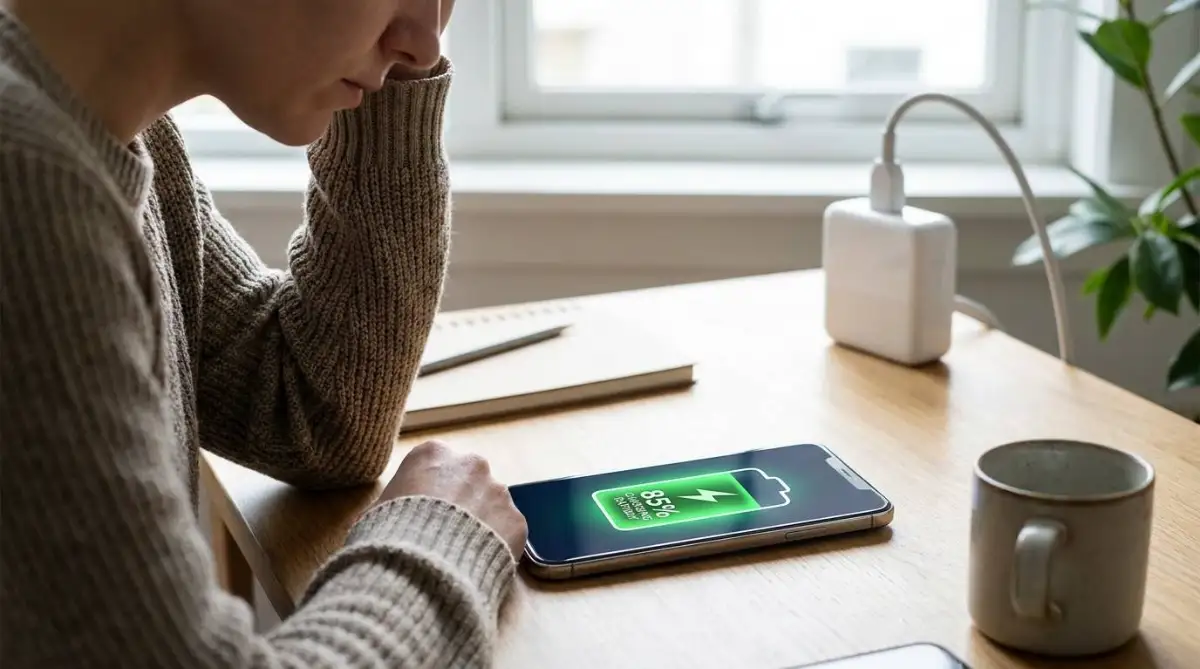
When you plug your phone into a fast charger, the battery naturally generates heat as it absorbs raw electrical power. At the exact same time, playing a heavy 3D game forces the main processor to run at maximum speed, which generates its own massive wave of heat.
Combining charging heat with processing heat pushes the internal temperature past safe boundaries, causing the battery to degrade permanently. If your battery is low, put the phone down, let it charge in peace, and wait until it is disconnected before you start your gaming session.
Protecting your battery from this extreme dual-heat stress is just as important as understanding the everyday habits ruining laptop battery lifespan on larger machines.
Advanced Habits to Maintain a Cool and Healthy Phone
Cooling down a burning phone is a great relief today, but your real goal should be preventing that heat from ever building up again in the future. High device temperatures rarely happen by accident; they are the direct result of how we manage our digital workflow over time.
To keep your expensive smartphone running fast and staying cool for years, you need to adopt a few pro-level maintenance habits. Let us explore the exact strategies tech experts use to keep their mobile batteries perfectly healthy all year long.
Auditing Your App Refresh Permissions
You might think that when you swipe an app away from your screen, it stops working. In reality, most modern apps use a feature called "Background App Refresh" to secretly connect to the internet and download new data while your phone is asleep.
Social media apps are the biggest offenders of this invisible energy drain. They constantly refresh your timeline in the background so that new posts are ready the exact second you open the app, which keeps your processor running and generating heat twenty-four hours a day.
You can stop this unnecessary processor strain easily. Go to your phone settings, find the "Background App Refresh" menu, and turn it off entirely for any app that does not handle urgent messages.
Limiting background activity takes a massive weight off your mobile processor, allowing it to rest completely when the screen is dark. Managing this invisible software load is exactly like learning how to fix high CPU usage and speed up slow computer performance on a desktop 鈥� you have to stop the silent programs from stealing your power.
Establishing a Smart Charging Routine
How and when you charge your phone plays a massive role in its overall temperature control. Many people casually plug their phones into the charger right before they go to sleep and leave them connected for eight straight hours.
While modern phones have smart chips that stop the battery from overcharging, leaving the device plugged in at one hundred percent all night still generates a constant, low-level physical heat. Over several months, this subtle overnight heat slowly degrades the chemical health of the lithium-ion battery.
According to battery safety experts at Battery University, the healthiest way to charge a lithium-ion device is keeping the power level between twenty and eighty percent. Instead of charging it all night, try plugging it in for thirty minutes while you get ready for work in the morning.
Keeping the battery away from its absolute maximum limit reduces thermal stress and doubles the total lifespan of the device. This charging rule applies to all portable electronics, which you can read more about in our guide on everyday habits ruining laptop battery lifespan.
Utilizing Low Power Mode During Busy Days
If you know you have a long day ahead with heavy phone usage, do not wait until your battery hits ten percent to turn on Low Power Mode. This built-in setting is actually a brilliant, proactive thermal management tool.
When you activate Low Power Mode at eighty or ninety percent, your phone instantly limits background syncing, reduces screen brightness, and slows down the main processor. By slowing down the processor early in the day, the phone physically cannot generate enough energy to overheat.
Make it a habit to turn this feature on immediately when you are traveling, attending an outdoor event, or sitting in an area with bad reception. Your phone will stay incredibly cool in your pocket, and you will have plenty of battery left when you finally head home.

Dangerous Mobile Habits That Secretly Cook Your Device
Trapping Heat Under Pillows and Blankets
When winding down for the night, many of us casually toss our charging phones onto our beds, letting them slip under our thick pillows or heavy blankets. This is one of the most physically dangerous mistakes you can make with any electronic device.
When your phone charges, the battery naturally pushes heat out through the metal and glass frame. If the device is buried under a heavy blanket, that heat has absolutely nowhere to escape, creating a localized oven effect right next to your head.
The temperature will rapidly climb past safe operating limits, destroying the battery capacity and potentially causing the glass screen to warp or crack. Always place your charging phone on a hard, flat, and cool surface like a wooden nightstand or a glass table.
Protecting your electronics from soft, heat-trapping surfaces is a universal safety rule. Just as blankets destroy phone batteries, dust and poor airflow destroy larger machines, which is why learning to clean dusty PC fans without static damage is so critical for home computing.
Relying on Cheap Gas Station Chargers
When you forget your main charger at home, it is incredibly tempting to buy a cheap, five-dollar charging cable from a local gas station or convenience store. However, these uncertified chargers are notoriously dangerous for your phone's thermal management system.
Official chargers contain smart microchips that communicate with your phone, ensuring exactly the right amount of electricity flows into the battery safely. Cheap, knock-off cables lack these safety chips and simply dump raw, unregulated electrical power directly into your device.
This unregulated power surge causes the battery to heat up aggressively, putting your expensive hardware at severe risk of permanent damage. Always use certified charging cables from reputable brands to ensure your battery stays cool and protected during the charging cycle.
Ignoring System Software Updates
It is incredibly easy to hit the "Remind Me Later" button when a software update notification pops up on your screen. Because updates take time to install, many users ignore them for months, completely unaware of the damage they are doing to their device.
Software updates do not just bring new emojis; they often contain critical patches that fix aggressive background bugs. If an old app is secretly stuck in a loop, it will run your processor at maximum capacity, generating intense heat until the software is officially updated.
According to mobile security guidelines from the Cybersecurity & Infrastructure Security Agency, running outdated mobile operating systems also leaves your device highly vulnerable to background malware. Always let your phone install its security updates overnight to ensure the processor runs cleanly and safely, without the extra heat of a bug quietly running in a loop.
Reclaim Your Cool and Reliable Smartphone Today
You do not have to accept a burning, overheating smartphone as a normal part of your daily routine. By understanding how environmental heat and heavy software demands affect your tiny mobile processor, you can easily restore your device to its original, cool state.
The secret to a healthy phone is not buying a new one every year; it is simply about managing the invisible electrical traffic inside the machine. Taking off the heavy rubber case during hot days, turning off background location trackers, and keeping the screen brightness low takes less than five minutes to do.
Once you build these simple daily habits, your mobile experience will transform completely. You will no longer sit in fear of your battery dying halfway through the afternoon, and your device will remain comfortably cool in your hands during your heaviest tasks.
Do not wait for another terrifying temperature warning to lock up your screen before you take action. Audit your location settings right now, turn down that brightness slider, and watch your battery life soar.
A Personal Message From Me: I used to think my phone was just old and broken when it started burning my hands during my commute. The day I finally turned off my background tracking apps and took off my heavy case in the car, my phone felt brand new again. Take a few minutes to adjust your settings today 鈥� you will absolutely love having your reliable, cool device back!
Disclaimer
This article is intended for educational and informational purposes only. If your smartphone continues to overheat dramatically even when turned off, or if the battery appears physically swollen or bulging, stop using it immediately. Consult an authorized repair technician or the device manufacturer for professional safety assistance.
Common Questions About Hot Phones and Battery Health
Is it normal for my phone to get slightly warm while playing games? Yes, it is perfectly normal for your device to get slightly warm when playing heavy 3D games or editing videos. The internal processor is working hard and pushing the heat out through the glass frame, which means the natural cooling design is working correctly.
Can putting my overheating phone in the refrigerator fix it? No, you should never put a hot phone in a refrigerator or freezer! The sudden, extreme drop in temperature causes condensation and water droplets to form inside the phone, which will instantly short-circuit the motherboard and destroy the device.
Why does my phone get hot when I am using a wireless charging pad? Wireless charging is naturally less efficient than using a direct cable, and that lost electrical energy is converted directly into physical heat. To reduce this heat, make sure your phone is perfectly aligned in the center of the charging pad.
Will closing all my background apps keep my phone cooler? Manually swiping away every app actually forces your processor to work harder when you reopen them later. Instead of swiping them away, simply turn off "Background App Refresh" in your settings so they sleep quietly without draining your battery.
How do I ensure my home network is fast enough so my phone does not struggle to load videos? If your phone is struggling and heating up while trying to buffer online videos, your home internet signal might be weak. Learn how to clear your signal path by reading our guide on how to increase wifi speed without new router hardware.