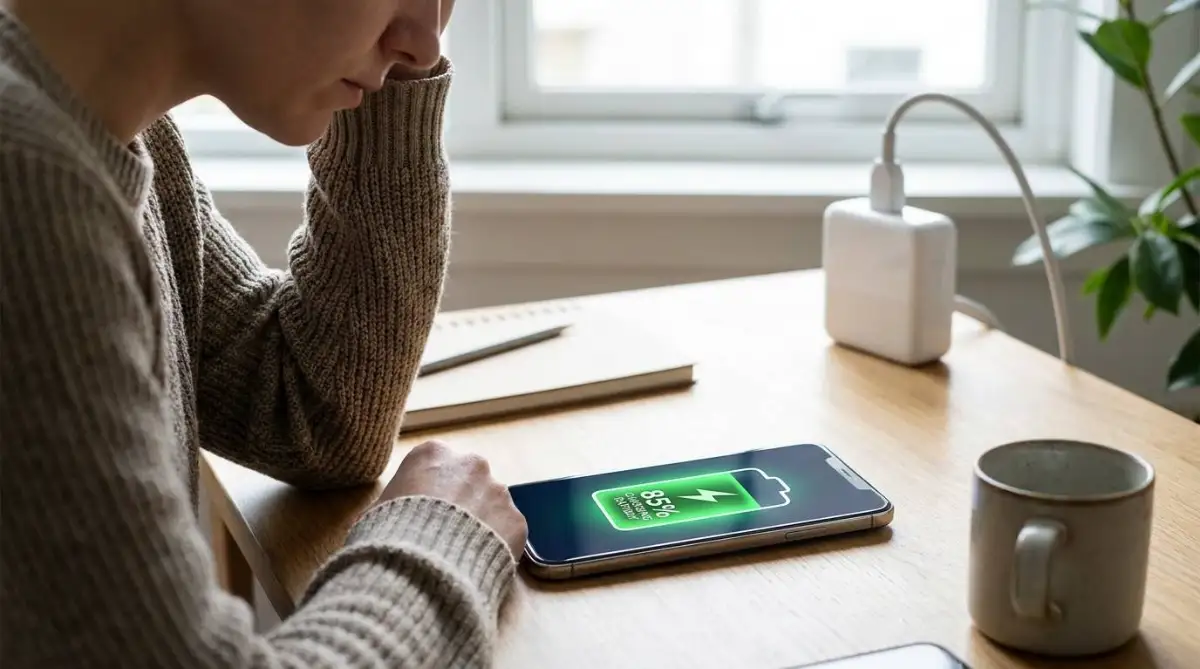
To understand how fast charging affects phone battery health, you must know that high-wattage charging does not inherently destroy your battery. The heat it generates accelerates chemical degradation over time. Modern smartphones use built-in power management chips to communicate with fast chargers. They accept massive amounts of power only when the battery is nearly empty and slow down as it fills. This dual-phase system protects the lithium-ion cells from catastrophic damage. This article explains how voltage mechanics work, how your phone defends itself against electrical stress, and what actually causes long-term battery capacity loss.
Learn From a Sudden Battery Capacity Drop
Last year, I upgraded to a new flagship phone that supported 65-watt fast charging. I bought the expensive power brick and marveled at how my phone went from dead to full in under 40 minutes. I plugged it in every time I got in the car or sat at my desk, constantly topping it off at maximum speed.
6 months later, I checked my battery health menu. My maximum capacity had already dropped to 92%. I assumed the high-wattage charger was frying the internal cells. I started researching the physics of lithium-ion technology and realized the wattage itself was not the enemy. My habit of constantly pushing high voltage into an already full battery generated excess heat. That heat quietly killed my phone.
Understand How High-Wattage Charging Chips Work
You might guess that a fast charger simply forces more electricity into your phone until it is full. Fast charging is actually a highly controlled negotiation between a microchip inside the power brick and a power management integrated circuit inside your phone.
When you plug in a high-wattage charger, the 2 chips talk to each other. The phone tells the charger its current battery percentage and temperature. The phone requests maximum wattage if the battery is nearly empty. The charger increases the voltage, which is the pressure of the electricity, and the amperage, which is the volume of the electricity. This pushes power rapidly into the lithium-ion cells.
Lithium-ion batteries cannot accept this massive flow of energy indefinitely. Fast charging operates in 2 distinct phases to prevent the battery from absorbing too much voltage and catching fire. The first phase is the constant current phase, where the battery absorbs power rapidly. The second phase is the constant voltage phase, where the charging speed drops significantly to carefully top off the remaining capacity. This second phase is working correctly if your phone stays at 99% for a long time. If you want to know why your phone is charging so slowly, the internal chip intentionally throttles the wattage to protect a nearly full battery.
| Charging Phase | Battery Level | Wattage Speed |
|---|---|---|
| Constant Current | 0% to roughly 70% | Maximum wattage (Fast) |
| Constant Voltage | 70% to 100% | Reduced wattage (Trickle) |

Protect Your Battery While Fast Charging
While the internal chips manage the electrical flow, you must manage the physical environment to prevent long-term degradation. Follow these steps to use high-wattage chargers safely.
- Keep the battery between 20% and 80%. Fast charging creates the most stress when pushing a battery from 0% to 20%, and when trickling from 80% to 100%. Unplug the fast charger when you hit 80% to avoid this stress.
- Remove thick phone cases. High-wattage charging generates significant thermal energy. A thick rubber or leather case traps this heat against the battery. Take the case off to allow the aluminum or glass back to dissipate the heat properly.
- Never play heavy games while plugged in. Using the processor heavily while fast charging creates a dual heat source. The battery heats up from the incoming wattage, and the processor heats up from the game. You must leave the screen off until the fast charge cycle finishes to stop your phone overheating while charging.
- Use certified charging cables. A cheap, uncertified cable lacks the data wires necessary for the charger and the phone to communicate. The phone defaults to a slow, safe 5-watt charge to prevent a fire. This renders your expensive fast charger useless.
- Enable optimized battery charging. Go into your phone's battery settings and turn on the optimized charging feature. This software learns your daily routine and intentionally pauses the fast charge at 80% overnight. It only finishes the final 20% right before you wake up.
Pro Tip: Unplug your phone immediately and let it cool on a hard, flat surface if it feels too hot to comfortably hold against your cheek. The fast charging heat has reached a level that actively degrades the battery chemistry.
Adapt to Your Specific Phone and Budget
Your phone's age entirely dictates whether a high-wattage charger will actually work. The phone will not explode if you plug a 100-watt laptop charger into a 5-year-old smartphone. It simply pulls the maximum wattage its internal chip was designed to handle, which might only be 15 watts. Buying an expensive fast charger for an older device is a complete waste of money. Check your phone manufacturer's specifications to find the exact maximum charging speed before buying a new brick.
You do not need to buy the official, overpriced charger directly from the phone manufacturer if you are on a tight budget. Buy third-party chargers that use the USB Power Delivery standard. This is a universal protocol that safely negotiates power between different brands. Some manufacturers use proprietary charging technology, like moving the heat-generating power management chip out of the phone and into the power brick itself. A standard third-party charger defaults to a slow speed if you own one of these specific phones. You must buy the proprietary brick to get the advertised fast charging times.
Your location also matters if you travel internationally. A fast charger bought in North America expects a 120-volt wall outlet. The charger might fry if you plug it into a 240-volt outlet in Europe using a cheap physical adapter. Check the tiny print on the charger to ensure it supports dual voltage before traveling.

Take Action When Fast Charging Fails
Sometimes your phone refuses to fast charge, even with the correct brick and cable. Watch for these signals to know exactly what is failing.
The phone charges slowly and the cable wiggles: Lint or dirt is blocking the data pins if the charging cable feels loose inside the port. Stop buying new cables. Turn the phone off and use a wooden toothpick to gently scrape the compacted pocket lint out of the charging port.
The screen shows a moisture warning: Your phone instantly disables fast charging to prevent a short circuit if it detects water inside the charging port. Stop trying to force the cable in. Leave the phone unplugged in a dry room for several hours until the warning disappears naturally.
The battery drains faster than it charges: The internal battery cells have completely failed and cannot hold a charge if you plug the phone into a fast charger but the battery percentage continues to drop. Stop using the device immediately. You must replace the physical battery before it swells and cracks the screen.
Avoid Mistakes That Ruin Your Battery Health
- Do not leave your phone plugged into a fast charger in a hot car during the summer. The ambient heat combined with the charging heat pushes the lithium-ion cells past their safe thermal limit. This causes permanent chemical damage.
- Do not use a cheap gas station charging cable that lacks a built-in resistor. These cables allow power surges to bypass the phone's safety chip. This instantly fries the motherboard.
- Do not drain the battery to 0% every single day before plugging it in. Deep discharges wear out the chemical structure of a lithium-ion battery much faster than shallow, frequent top-offs.

Answer Common Fast Charging Questions
Does wireless fast charging create more heat than wired?
Yes. Wireless charging is inherently inefficient. A significant amount of the electrical energy is lost as heat as it transfers through the air and the glass back of the phone. This extra heat degrades the battery faster than a wired connection. Wireless Power Consortium + Qi Standard Thermal Management.
Can I leave my phone on a fast charger overnight?
Yes, modern smartphones have safety chips that cut off the power flow once the battery reaches 100%. However, the phone will slowly drain to 99% and then trickle charge back to full repeatedly. This adds minor wear over time.
Will a higher wattage charger charge my phone faster?
Only up to the phone's maximum limit. Plugging your phone into a massive 100-watt charger will still only charge it at 25 watts if it is designed to accept a maximum of 25 watts.USB Implementers Forum + USB Power Delivery.
Check your phone's battery settings right now and turn on the optimized charging feature to protect your battery overnight. Drop a comment below and tell me the highest wattage charger you currently own.


