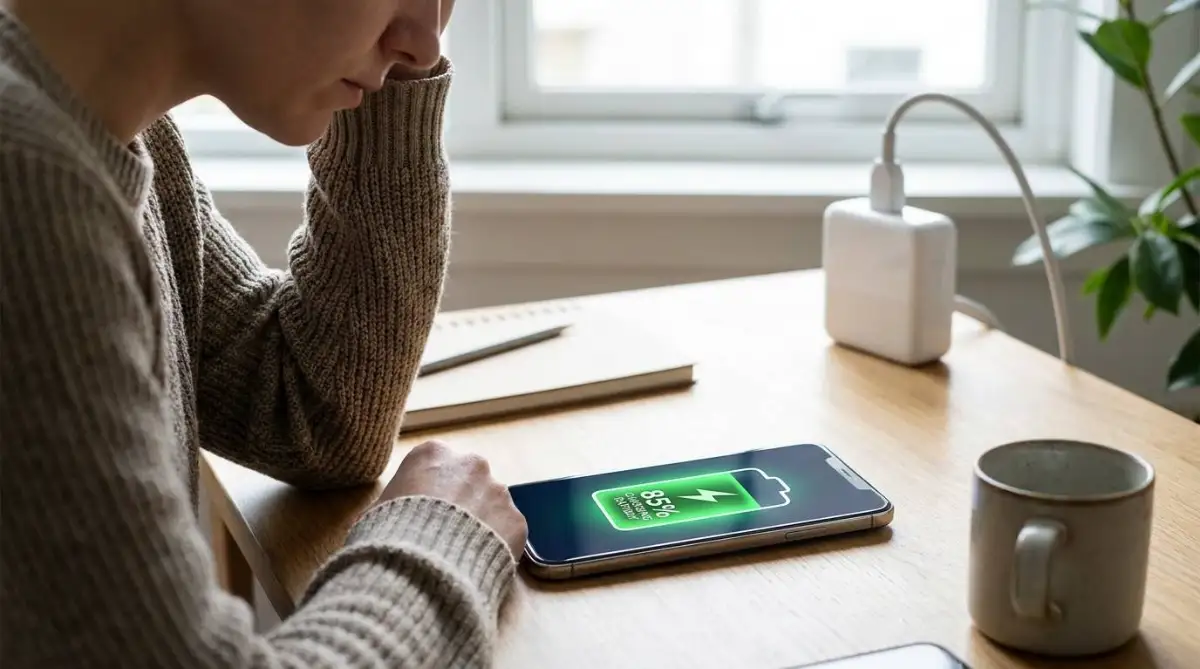
The Shocking Moment I Lost Everything on My Hard Drive
I still remember sitting in my living room late one evening, typing out the final pages of a massive work presentation. A heavy thunderstorm was rolling outside, but I ignored it, assuming my house was perfectly safe.
Suddenly, a massive crack of lightning lit up the sky, followed instantly by a sharp popping sound coming directly from my wall outlet. My desktop monitor went completely black, my expensive computer shut down instantly, and a faint smell of burnt plastic filled the room.
I rushed over in a panic, desperately pressing the power button over and over, but the machine was completely dead. That single, invisible wave of electricity had bypassed my cheap plastic power strip and instantly fried my motherboard, taking years of irreplaceable photos and work documents with it.
Millions of people face this exact same heartbreaking scenario every single year. You spend thousands of dollars outfitting your home with premium laptops, smart televisions, and heavy-duty gaming consoles.
Yet, we blindly plug these incredibly sensitive, expensive machines directly into basic wall outlets or cheap dollar-store extension cords. We assume the electricity flowing into our homes is clean and perfectly stable, completely unaware of the hidden spikes constantly attacking our electronics.
A sudden electrical spike is not just an inconvenience; it is an absolute hardware killer. When an unprotected wave of raw energy hits your delicate computer chips, it literally melts the microscopic internal wiring in a fraction of a second.
Even if your device does not die immediately during a storm, you are likely experiencing tiny, silent power spikes every single day. These micro-spikes happen whenever heavy appliances like your refrigerator or air conditioner turn on, sending small shockwaves through your home's wiring.
Over the course of a few months, this constant electrical stress slowly degrades the internal health of your electronics. You start wondering why your laptop battery dies so quickly or why your television suddenly starts flickering and restarting on its own.
You feel a constant, nagging fear every time dark clouds gather outside, wondering if you should run around the house unplugging every single appliance. You cannot control the weather or the city's power grid, but you can absolutely build an invisible shield around your most valuable machines.
Understanding how these electrical spikes travel into your home is the very first step to stopping them. Let us break down the exact physical tools you need to lock out dirty electricity and give your expensive hardware the long, healthy life it deserves.
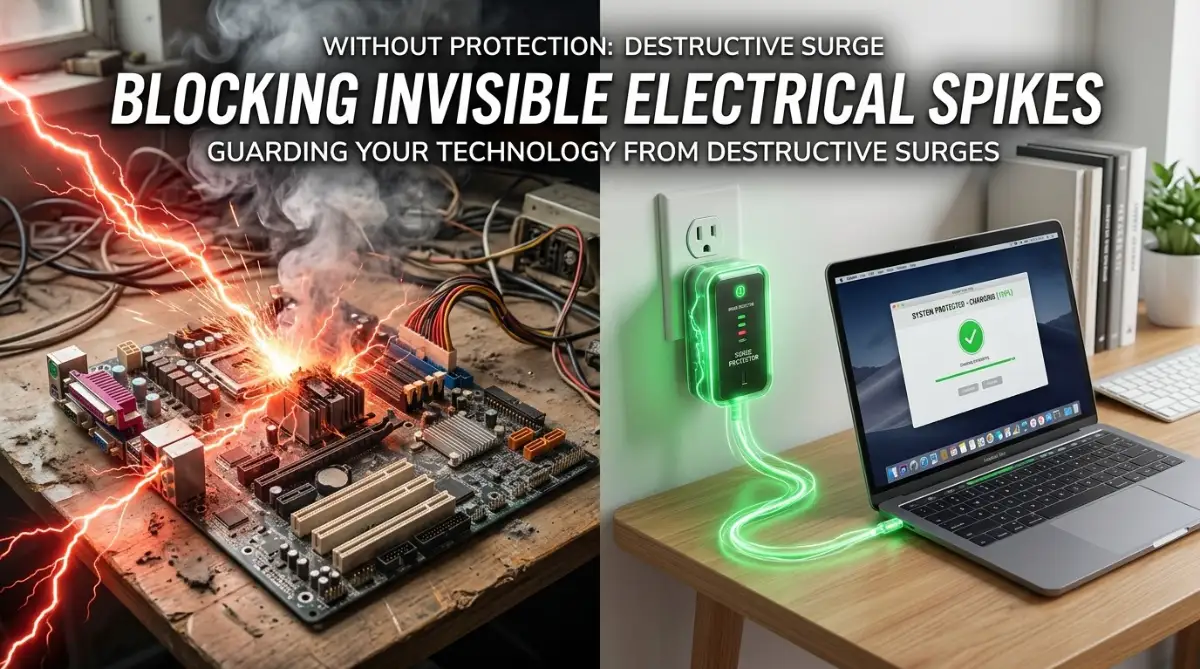
Building an Invisible Shield Against Dirty Electricity
Learning the Hard Truth: Power Strips Are Not Protectors
Let us start by clearing up the biggest and most expensive myth in home electronics. When people buy a new computer, they usually head to a local hardware store and buy a long white plastic bar with six outlets on it to plug everything in.
They assume this plastic bar will automatically protect their new machine from lightning strikes and grid fluctuations. However, most of these basic blocks are nothing more than simple "power strips," which are essentially just dumb extension cords.
A basic power strip has absolutely zero internal defense mechanisms to stop incoming electrical spikes. If a massive wave of electricity travels out of the wall and into a power strip, it simply passes straight through the plastic bar and goes directly into your sensitive laptop charger.
To actually defend your hardware, you must buy a dedicated "Surge Protector." While they look almost identical to basic power strips on the outside, a true surge protector contains a highly sensitive internal component called a Metal Oxide Varistor (MOV).
Think of this internal component like a highly trained digital bouncer standing at the door of a nightclub. When clean, normal electricity tries to enter, the bouncer lets it pass through to your computer without any issues.
However, when a massive, dangerous spike of electricity comes rushing down the wire, the bouncer instantly steps in, blocks the door, and redirects that dangerous heat safely into the grounding wire. When you are shopping, always look specifically for the words "Surge Protection" printed directly on the packaging, rather than just "Power Strip."
My Personal Realization: I used to think all extension blocks with an on-off switch automatically protected my devices from lightning. The day I realized my cheap ten-dollar strip was just a dumb wire, I immediately threw it away and bought a real protector with a certified joule rating.
Want to see the exact difference between a cheap power strip and a heavy-duty surge protector? Watch this quick visual breakdown below to learn what to look for at the store!
Understanding the Secret Language of Joule Ratings
Once you know to look for a real surge protector, you need to understand how to read the warning labels on the back of the box. Every authentic protector is assigned a specific "Joule Rating," which tells you exactly how much raw electrical heat the device can absorb before it stops working.
Think of a joule rating like the health bar of a character in a video game. Every time an electrical spike hits your house, the surge protector takes the hit, and its internal health bar permanently drops.
If a protector has a rating of five hundred joules, it can absorb five one-hundred-joule hits over a year before its internal defense system completely burns out. Once that internal health bar reaches zero, the device stops protecting your hardware and turns back into a basic, dangerous power strip.
If you are plugging in basic household items like a bedside lamp or a digital clock, a small protector with a rating of five hundred joules is perfectly fine. However, if you are defending heavy, expensive equipment like a desktop computer, a smart television, or a gaming console, you must aim much higher.
Look for a heavy-duty protector that advertises a rating of at least two thousand to three thousand joules. This massive health bar ensures the protector will successfully defend your expensive machines against years of daily micro-spikes and heavy thunderstorm activity without breaking a sweat.
Knowing When It Is Time to Replace Your Defense System
One of the most dangerous assumptions people make is believing that a surge protector will last forever. Many people buy a high-quality protector, plug their television into it, and completely forget about it for the next ten years.
As we just learned, the internal components inside these devices physically degrade every single time they absorb an electrical hit. If you live in an area with an old power grid, frequent summer storms, or rolling blackouts, your protector's internal health bar might hit zero in just two or three years.
How do you know when the internal defense is actually dead? The best modern protectors come with a tiny, built-in LED light labeled "Protected" or "Grounded."
Whenever you crawl under your desk to clean or adjust cables, take one second to look at that specific light. If the light is glowing green or blue, the internal bouncer is still alive and actively guarding your equipment.
If the light goes dark, but the strip is still giving power to your computer, it means the internal defense has completely melted away. At that exact moment, you must throw the device in the trash and buy a new one, as it can no longer stop the next electrical spike from frying your motherboard.
Checking these tiny indicator lights is a crucial maintenance habit, just like routinely cleaning the physical dust out of your machine. In fact, ignoring electrical health is just as dangerous as ignoring physical health; you can learn exactly how to protect the physical lifespan of your machine by reading our guide on how to clean dusty PC fans without static damage.
Defending Against the Threat of Dirty Data Lines
When we think about lightning destroying our computers, we always assume the electricity travels through the main power cord plugged into the wall. Because of this, we obsess over protecting our main electrical outlets while completely ignoring the other wires attached to our machines.
Electricity does not care which wire it travels through; it will take the path of least resistance to find the ground. If lightning strikes a telephone pole down the street, that massive surge of energy can easily travel straight through the coaxial cable or Ethernet cord connected to your internet router.
The surge will blow right past your router, travel up the yellow internet cable, and instantly fry the network card inside your expensive desktop computer. To stop this backdoor attack, you need a defense system that guards your data lines as well as your power lines.
When shopping for premium protection for a home office, look for a surge block that includes built-in Ethernet and coaxial input jacks. You simply plug the internet wire coming from the wall into the protector first, and then run a second clean wire from the protector directly to your computer.
This creates a physical break in the data line, ensuring that any wild electricity traveling down your internet cable is stopped and absorbed before it ever reaches your expensive motherboard. Protecting these backdoor entries is a master-level secret that prevents thousands of dollars in surprise damages every single year.
Advanced Strategies for Unbreakable Hardware Security
Buying a strong surge protector is a fantastic first step, but true hardware protection requires a complete, whole-house strategy. Electrical spikes do not just happen during major thunderstorms; they are a constant, invisible threat generated by the very appliances sitting inside your own kitchen.
To keep your expensive computers and televisions running flawlessly for a decade, you need to understand how professional IT experts build their defense systems. Let us explore the exact pro-level secrets used to lock down high-value electronics against unpredictable power grids.
Isolating Your Heavy Duty Appliances
Have you ever noticed your living room lights flicker slightly when your air conditioner or refrigerator suddenly kicks on? That tiny flicker is actually a massive internal power surge traveling through your home's copper wiring.
Heavy appliances like space heaters, washing machines, and laser printers require an enormous burst of electrical energy just to start their internal motors. When that massive pull of energy settles down a second later, a dangerous shockwave of leftover electricity bounces back into your wall outlets.
If your sensitive laptop is plugged into the exact same wall circuit as your laser printer, that shockwave will hit your computer multiple times a day. Over time, these daily internal micro-surges silently degrade the microscopic circuits inside your motherboard.
You can easily prevent this internal damage by physically mapping out your electrical circuits. Make absolutely sure that your delicate home office equipment is never plugged into the same breaker line that powers heavy heating or cooling appliances.
Isolating your electronics ensures they receive clean, uninterrupted power all day long. This simple physical separation is just as important as protecting your mobile devices from environmental heat, which you can master by reading our guide on phone overheating reasons how to prevent damage.
Upgrading to an Uninterruptible Power Supply (UPS)
While a high-quality surge protector stops massive spikes from burning your motherboard, it cannot protect you against sudden power drops or blackouts. When the power in your neighborhood suddenly cuts off, your desktop computer instantly crashes, wiping out any unsaved work.
The ultimate defense system against both spikes and sudden blackouts is an Uninterruptible Power Supply (UPS). A UPS is essentially a massive, heavy-duty battery block that sits between your wall outlet and your computer.
During normal operation, the wall electricity passes through the UPS, which cleans and stabilizes the power before it ever touches your machine. If a storm knocks out your neighborhood grid, the UPS instantly switches over to its internal battery in a fraction of a millisecond.
Your computer stays perfectly powered on, giving you ten to fifteen minutes to safely save your documents and shut down the machine properly. Investing in a UPS is the only way to guarantee total hardware survival during severe, unpredictable weather events.
Keeping your hardware running safely requires a mix of physical and software management. Just as a UPS protects your power supply, managing background software is vital for speed, which you can learn about in our tutorial on how to fix high cpu usage speed up computer performance.

Dangerous Electrical Mistakes You Must Avoid
Daisy-Chaining Power Strips Together
When people run out of available wall outlets, they often make a highly dangerous, desperate physical mistake. They plug a standard power strip directly into the wall, and then plug a second power strip directly into the first one.
This dangerous practice is known as "daisy-chaining," and it is one of the leading causes of electrical house fires. A single wall outlet is only designed to handle a specific maximum electrical load safely.
When you chain multiple strips together, you trick the system into pulling far more electricity through the primary cord than it was ever built to handle. The main cord will rapidly overheat, melt the plastic casing, and catch fire, completely ignoring any surge protection capabilities.
According to official safety guidelines from the National Fire Protection Association (.org), you should never plug one extension block into another under any circumstances. If you need more outlets, you must buy a single, certified protector with a longer cord and more built-in sockets.
Leaving Electronics Plugged In During Vacations
Before leaving for a long family vacation, most people remember to lock the doors and turn off the lights. However, they almost always leave their expensive televisions, gaming consoles, and desktop computers plugged directly into the wall.
If a massive lightning storm rolls through your neighborhood while you are hundreds of miles away, you will not be there to unplug your devices. Even the most expensive, heavy-duty surge protectors can fail if they are hit by a direct, massive lightning strike on your home's roof.
The only one hundred percent guaranteed way to protect your electronics from a catastrophic lightning strike is physical separation. Before you leave the house for an extended trip, walk around and physically pull the plugs out of the wall for all your high-value machines.
Taking two minutes to unplug your gear provides total peace of mind while you travel. This proactive safety mindset is just as important as protecting your personal data, which you can secure by reading our guide to protect family ai voice cloning scams.
Ignoring Frayed or Damaged Cords
A surge protector is only as safe as the physical wire connecting it to the wall. We often accidentally roll our heavy desk chairs over our power cables, or let our pets chew on the rubber casing.
When the outer rubber insulation tears and exposes the inner copper wiring, the entire safety system is instantly compromised. An exposed wire can easily spark against a metal desk leg or a carpet, bypassing the internal protection chip and sending raw electricity directly into your computer.
Make it a monthly habit to get down on your hands and knees and physically inspect the entire length of your power cords. If you see any deep cuts, exposed metal, or heavy crimping, you must replace the entire unit immediately, regardless of its original joule rating.
Routine physical inspections are the foundation of long-term tech survival. You can apply this same careful maintenance to the internal components of your machine by learning to clean dusty PC fans without static damage.
Securing Your Digital Life With Total Confidence
You no longer have to live in fear of the next summer thunderstorm wiping out your expensive home office. By replacing your cheap, basic extension cords with certified, heavy-duty surge protectors, you build an invisible wall against unpredictable electrical attacks.
The true secret to hardware longevity is simply managing the invisible electrical traffic entering your home. Checking those tiny indicator lights, organizing your data lines, and avoiding dangerous daisy-chains takes almost no effort, but it saves thousands of dollars in surprise damages.
Once you have your defenses properly set up, you will experience an incredible sense of relief. You will finally be able to sit back and watch a heavy storm roll through your neighborhood, knowing your digital life, family photos, and expensive machines are perfectly safe.
Do not wait for a lightning strike to melt your motherboard before you take action. Walk over to your computer setup right now, check the label on your power strip, and make sure you are actually protected.
A Personal Message From Me: Losing my entire hard drive to a surprise power surge was one of the most stressful days of my professional career. The day I finally replaced my cheap plastic strips with real, high-joule protectors, a massive weight was lifted off my shoulders. Take ten minutes to secure your own setup today鈥攜ou will absolutely love the peace of mind it brings!
Disclaimer
This article is intended for educational and informational purposes only. No surge protector can guarantee one hundred percent defense against a direct, catastrophic lightning strike to your physical home. For major electrical concerns, whole-house surge protection, or rewiring, always consult a licensed and certified professional electrician.
Frequently Asked Questions About Electrical Hardware Safety
Will a standard power strip protect my computer during a storm?
No, a standard power strip provides absolutely zero protection against electrical spikes or lightning strikes. It is simply a basic extension cord that gives you more outlets; you must buy a dedicated "Surge Protector" to actively defend your hardware.
How often should I replace my home surge protectors?
Most industry experts recommend replacing your protectors every three to five years, depending on the severity of the weather in your area. You should also replace them immediately if the tiny "Protected" or "Grounded" LED light on the casing goes dark.
Is it safe to plug a heavy space heater into my surge protector?
You should never plug high-draw heating appliances like space heaters, microwaves, or toasters into a surge protector or power strip. These heavy appliances draw too much continuous current, which can quickly overheat the strip and cause a severe fire hazard.
What is a good joule rating for protecting a home desktop computer?
For expensive and sensitive equipment like a custom desktop computer or a large smart television, you should look for a heavy-duty protector with a rating of at least two thousand to three thousand joules to ensure maximum defense against micro-spikes.
How can I ensure my home network stays fast and safe during normal weather?
Once your hardware is electrically secure, you should optimize the invisible wireless signals traveling through your home. Check out our detailed guide on how to increase wifi speed without new router hardware for a flawless browsing experience.