
When your to-do list keeps growing, planning the week can feel like another task you do not have time to finish. Learning how to use AI to plan your week gives you a practical way to organize scattered tasks, account for existing commitments, and build a schedule you can actually follow. Instead of asking a chatbot to make you more productive, give it the information it needs to help you make better decisions about your time.
The important part is that AI does not automatically know your deadlines, energy levels, family responsibilities, or how long your work takes. You must provide those details, review the proposed schedule, and adjust it to fit your real life. This guide shows you how to do that with a simple prompt and a repeatable weekly planning routine.
Why a Long To-Do List Is Not a Weekly Plan
A to-do list records what you want to accomplish, but it does not show when you will do the work. You might list a report, several emails, a study session, household errands, and an upcoming appointment. Every item looks manageable on its own. Together, they can exceed the time you actually have available.
For example, imagine that you need to prepare a presentation, complete a course assignment, respond to work messages, and attend several meetings. If you schedule each task without accounting for travel, meals, breaks, or interruptions, your calendar may look productive while remaining impossible to follow.
AI can help turn that list into a draft schedule. It can group similar activities, suggest priorities, break large projects into smaller steps, and highlight possible conflicts. However, it cannot guarantee that every time estimate is accurate or that every task will fit. Treat the result as a starting point rather than a promise.
Prepare Your Tasks Before Asking AI for Help
Before opening an AI chatbot, gather the information that will make your plan useful. A little preparation reduces the chance of receiving a neat-looking schedule that ignores your actual circumstances.
- List your tasks: Include work assignments, study sessions, errands, follow-ups, and personal responsibilities.
- Add deadlines: Identify what must be finished soon and what can wait.
- Record fixed commitments: Include work hours, classes, appointments, commuting, meals, and other obligations.
- Estimate task duration: Use your own experience to estimate how long each activity may take.
- Identify your energy patterns: Note when you usually concentrate best and when demanding work feels harder.
- Leave flexible time: Reserve space for unexpected requests, delays, and unfinished work.
Do not ask AI to guess your available hours. Tell it when you are unavailable and how much time you can realistically devote to work or study. If you are uncertain about a task's duration, label the estimate as uncertain instead of presenting it as a fact.
Use This Copy-and-Paste AI Weekly Planning Prompt
Once your information is ready, use the following prompt in your preferred AI chatbot. Replace the example details with your own tasks, commitments, and preferences.
Act as my practical weekly planning assistant. Organize the tasks I provide into a realistic plan for the coming week. First, identify my deadlines, priorities, fixed commitments, available working hours, and estimated task durations. Schedule demanding work during the times when I usually have the most energy, and group similar administrative tasks where practical. Include meals, breaks, travel time, personal responsibilities, and reasonable buffer time for unexpected delays. Do not schedule tasks during my fixed commitments or assume I can work longer than I have available. If the workload exceeds my capacity, explain what should be postponed, reduced, or clarified instead of squeezing everything into the schedule. Show the result in a table with columns for day, task, estimated duration, and priority. Break large tasks into manageable steps. Flag uncertain estimates and missing information, and ask me questions when essential details are unclear. At the end, provide a short list of the three most important outcomes for the week.
After the prompt, paste your task list and availability. You can also add a short note explaining your preferences, such as doing focused writing in the morning or keeping evenings free for family time.
If you need a clearer response, use a structured format rather than accepting a long block of text. Our guide on getting AI to provide organized, structured answers explains how to request output that is easier to review and use.
Review a Sample AI-Generated Weekly Schedule
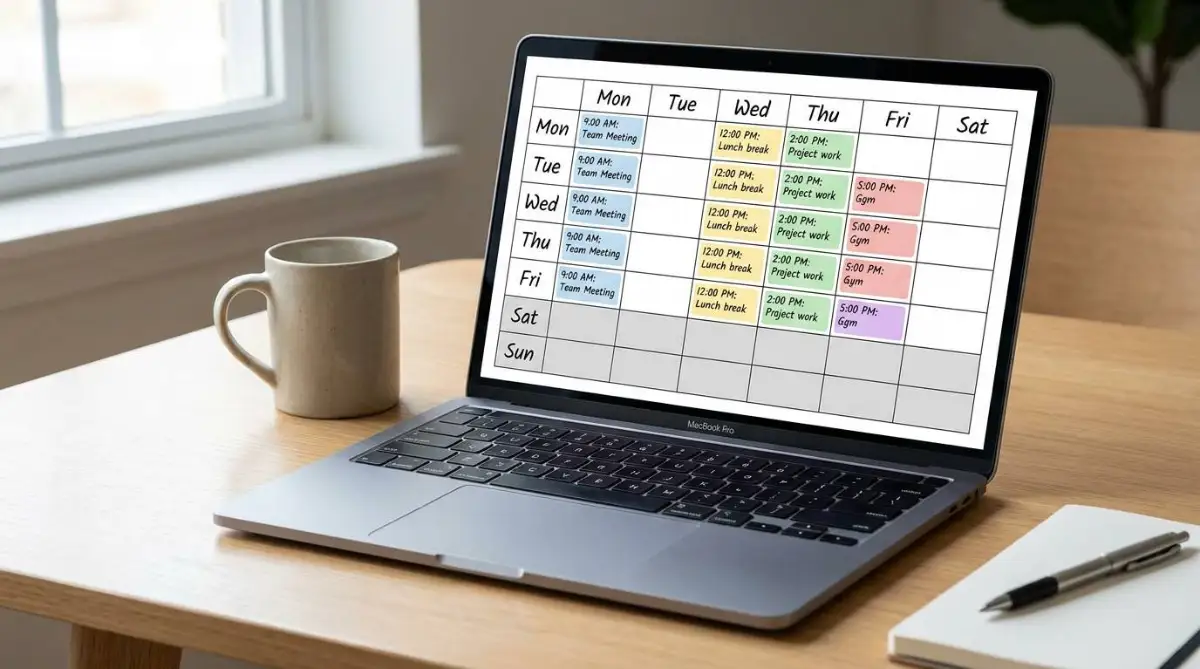
The table below is an illustrative example, not a schedule you must copy. Your own plan should reflect your real commitments, available hours, deadlines, and energy levels.
| Day | Morning | Afternoon | Evening |
|---|---|---|---|
| Monday | Plan project tasks | Reply to emails | Rest and prepare |
| Tuesday | Research assignment | Attend scheduled meetings | Review study notes |
| Wednesday | Draft project section | Complete admin tasks | Personal commitments |
| Thursday | Finish key deliverable | Review outstanding tasks | Free time |
| Friday | Check deadlines | Complete priority work | Review the week |
Notice that the schedule groups related activities and leaves room for personal time. It does not assign every available minute to a task. The correct balance depends on your workload and circumstances, so change the example rather than treating it as a universal formula.
Check Whether the AI Plan Is Realistic
Before adding the proposed schedule to your calendar, review it against your actual week. A table can look organized while containing unrealistic assumptions.
- Check the total workload. Compare the proposed tasks with your genuinely available hours.
- Protect fixed commitments. Confirm that work, classes, appointments, travel, and meals have not been overlooked.
- Verify task estimates. Correct any duration that conflicts with your experience or the task's requirements.
- Prioritize deadlines. Make sure urgent and important tasks receive attention before lower-priority activities.
- Keep buffer time. Leave some unallocated time rather than assuming every activity will finish exactly on schedule.
- Make the plan flexible. Move tasks when new information or an unexpected responsibility changes your availability.
University study-skills guidance also recommends planning around existing commitments, choosing realistic study periods, and reviewing your schedule when circumstances change. See the UNSW time-management guide for additional planning advice.
Adapt Your Plan to Your Energy and Working Style
Available time is only one part of a realistic schedule. Your concentration, environment, and responsibilities also affect what you can accomplish.
If you usually focus best early in the day, consider placing demanding writing, analysis, or study tasks in that period. Reserve lower-effort activities, such as routine messages or filing, for times when they fit better. If your energy varies from day to day, tell the AI that your schedule needs flexibility rather than assigning every difficult task to the same time.
Students can use the same approach to balance lectures, assignments, revision, and personal responsibilities. Instead of entering a vague task such as “study,” specify the actual outcome, such as “review lecture notes and answer practice questions.” Clearer tasks make it easier to estimate time and check progress.
For remote workers, planning also means establishing reasonable start and stop times. Our guide to overcoming digital fatigue when working with remote clients offers related ideas for keeping work from taking over the entire day.
If email repeatedly interrupts focused work, consider setting specific periods for checking and responding to messages. You can explore our guide to automating email management with free AI for related workflow ideas.
Protect Your Privacy When Planning With AI
Your weekly plan may contain details about clients, coworkers, finances, appointments, or confidential projects. Do not assume that a public AI chatbot is an appropriate place to paste every detail from your calendar or workplace documents.
- Replace real client names with labels such as “Client A.”
- Remove account numbers, passwords, private contact details, and unnecessary personal information.
- Describe sensitive projects in general terms when exact details are not needed for scheduling.
- Follow your employer's rules and the AI service's privacy settings and terms.
- Review the final plan before sharing it with colleagues or copying it into a shared calendar.
For more guidance, read our article on avoiding AI tool mistakes in academic and business settings. The goal is to give the AI enough context to organize your tasks without exposing information it does not need.

Fix Your Schedule When the Week Goes Off Track
Even a carefully prepared plan can change. A meeting may run late, a task may take longer than expected, or an urgent request may appear. You do not need to abandon the entire schedule when that happens.
If Monday becomes overloaded, ask the AI to identify lower-priority tasks that can move to another day. If a demanding task takes longer than expected, update its duration before regenerating the remaining plan. If you miss a work session, ask the chatbot to rearrange the unfinished tasks around your remaining commitments.
For example, you can say: “My Tuesday research task took longer than expected, and I did not finish the draft. Keep my fixed appointments unchanged, preserve the most urgent deadline, and reorganize the remaining tasks using my available time. Show what must be postponed if everything no longer fits.”
This approach is more useful than asking AI to squeeze every missed task into the next day. Sometimes the realistic solution is to renegotiate a deadline, reduce the scope of a task, or accept that a lower-priority item will move to the following week.
Complete a Short End-of-Week Review
At the end of the week, compare your plan with what actually happened. A review helps you make better estimates next time instead of repeatedly building the same unrealistic schedule.
- Mark the tasks you completed.
- List the tasks you postponed and explain why.
- Compare planned durations with actual durations where you recorded them.
- Identify interruptions or commitments that were missing from the plan.
- Choose the most important priorities for next week.
Then give the AI a short summary of the results and ask it to help prepare the next week's plan. Keep your own judgment in control: the tool can organize your observations, but you decide what matters and what is feasible.
Frequently Asked Questions
Can AI automatically add my weekly plan to a calendar?
It depends on the AI service, your account, and the calendar integrations available. Some chat interfaces only generate a suggested schedule, which you must copy into your calendar yourself. Others may offer connected tools or integrations. Check the specific service's current capabilities and permissions before relying on automatic calendar updates.
How far ahead should I plan?
Start with the coming week and account for important deadlines beyond it. A longer-term view can help you identify upcoming busy periods, while a weekly plan makes it easier to allocate your immediate time. Revisit the plan when commitments change.
Does AI know exactly how long my tasks will take?
No. It can suggest estimates, but it does not automatically know your personal pace, task complexity, or working conditions. Give it your best estimate, compare that estimate with your experience, and adjust future plans using what you learn.
What if I have too many tasks for the available time?
Ask AI to rank tasks by deadline and importance, identify what can be postponed, and show the trade-offs. Do not accept a schedule that ignores sleep, meals, fixed commitments, or reasonable breaks simply to fit everything in.
Make Weekly Planning a Repeatable Habit
Using AI to plan your week works best when you treat it as a practical assistant rather than an authority over your time. Prepare your task list, explain your real limits, use the prompt to create a first draft, and check the result before following it.
Review what worked at the end of the week, learn from inaccurate estimates, and adjust the next schedule. You do not need a perfect calendar. You need a realistic plan that helps you decide what to do next while leaving enough flexibility for real life.
This article provides general information about productivity and AI tools. Always review AI-generated schedules for accuracy, feasibility, and privacy before using them.