The Night My "Fast" Internet Wasn't Fast At All
I remember sitting on my couch, phone in hand, trying to send one simple email attachment before a deadline. The upload bar sat frozen at 12 percent for what felt like ten full minutes.
I called my internet provider, convinced they were the problem. They ran a check on their end and told me everything looked completely normal.
I hung up more confused than before. My bill said I was paying for a fast plan, my provider said their side was fine, and yet my email still wasn't sending.
That night I finally sat down and actually tested things properly, instead of just guessing. What I found surprised me 鈥� my internet connection itself was fine. The problem was sitting three rooms away from my router the whole time.
A lot of us go through some version of this. We blame the router, or we blame the company, or we just restart everything and hope for the best. Rarely do we actually sit down and figure out which one is actually true.
Here's the part nobody tells you: slow Wi-Fi can come from at least four completely different places, and they all feel the same when you're just staring at a frozen loading screen. It could be your provider not delivering what you're paying for. It could be your router struggling with its own hardware. It could be the specific room you're sitting in, too far from the signal. Or it could just be the one device you're using at that exact moment.
Trying random fixes without knowing which one is actually broken wastes real time, and sometimes real money too 鈥� especially if you end up buying new equipment to fix a problem that was never about equipment at all. A short, structured test tells you exactly where to look, and it takes about fifteen minutes with tools you probably already have sitting on your phone or laptop right now.
Find Out What You're Actually Paying For
Before testing anything at all, pull up your last internet bill or your provider's account app and find your actual plan speed, usually listed in Mbps.
This number changes how you should read every other test you run. An 80 Mbps result feels disappointing if you're paying for 300 Mbps. That same 80 Mbps is completely normal if your plan only promises 75. Skipping this step means every number afterward is basically a guess.
Test the Wire Before You Blame the Wireless
This is the step almost everyone skips, and it's honestly the most useful one on this whole list.
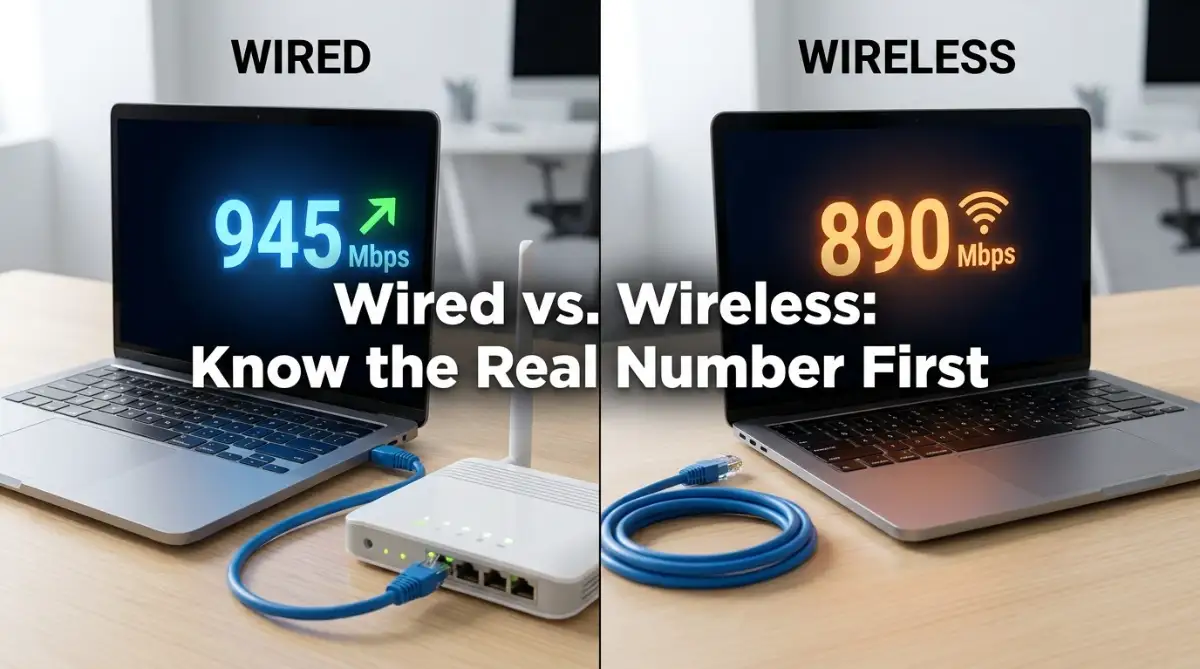
Grab an ethernet cable, plug your laptop directly into the router, and run a test using a tool like Ookla's Speedtest. Write the number down somewhere.
This result shows exactly what your internet connection can do with Wi-Fi completely removed from the equation. If this wired number already sits well below your paid plan, the issue lives with your provider, not your home setup 鈥� no router repositioning in the world fixes a connection that's already slow before it even reaches your walls.
My honest mistake: I spent almost a full year assuming my router was outdated junk, right up until I finally ran this exact wired test and realized my modem itself was the actual bottleneck. A five-minute cable test would have saved me a year of frustration and one unnecessary router purchase.
Want to see exactly how this comparison test looks in real time? Watch this quick walkthrough below, then keep reading for the room-by-room test that comes next.
Run the Same Test, Just Over Wi-Fi This Time
Unplug the cable and run the identical test again, standing close to the router, this time over Wi-Fi.
Compare it to your wired number from before. A small gap, somewhere around 10 to 15 percent lower, is completely normal 鈥� wireless connections are naturally a touch slower than a direct cable. A huge gap, where Wi-Fi drops to half your wired speed or worse even standing right beside the router, usually points to a router setting or hardware issue rather than a distance problem.
Walk to Where the Problem Actually Happens
Now take your device to the exact spot where the slow connection normally bothers you 鈥� a bedroom, a home office, wherever the frustration usually hits 鈥� and run the test one more time.
If your speed was solid near the router but drops sharply in this specific spot, the issue is about signal reaching that location, not your internet itself. Walls, distance, and nearby electronics are usually the cause here, and this is precisely the kind of problem that placement and channel adjustments can fix. Our full guide on how to increase Wi-Fi speed without buying a new router walks through exactly how to fix a signal problem once you've confirmed that's what you're dealing with.
Check If the Slowdown Follows the Clock
Run the same test in the same spot at three different times across one day 鈥� morning, afternoon, and around 8 or 9 PM.
A connection that's fine most of the day but drops sharply every evening usually points to congestion on your provider's network, since that's typically peak usage time in most neighborhoods. According to the Federal Communications Commission's broadband guide, network congestion during high-traffic hours is one of the most common causes of inconsistent home internet speeds. This pattern is worth screenshotting, since it becomes real evidence if you end up calling your provider about it.
Rule Out the One Device Acting Up
Run the same test on a second device 鈥� your phone, for example 鈥� in the same spot where your laptop tested slow.
If your phone gets a normal result while the laptop doesn't, the problem is likely local to that specific device 鈥� an outdated network driver, a background app quietly eating bandwidth, or an aging network adapter 鈥� rather than the network as a whole. If you're the kind of person who also lets dust build up inside your desktop tower, it's worth checking whether heat and dust are part of the slowdown too, since an overheating machine throttles itself in ways that can look exactly like a network problem.

Reading Your Numbers Like Someone Who Knows What They're Looking At
Once you've run these five tests, the pattern usually points clearly in one direction.
If your wired test matches your paid plan and your Wi-Fi near the router comes close to that same number, both your internet and your router are working fine 鈥� any remaining issue is purely about signal reaching specific rooms in your house.
If the wired test itself already comes in low, that's on your provider, full stop. No router change, no app, and no new equipment fixes a connection that's already underdelivering at the source.
If your wired speed looks great but Wi-Fi drops sharply even standing right next to the router, your router itself likely needs attention 鈥� outdated firmware, an overcrowded frequency band, or hardware that's simply gotten old.
If the slowdown only shows up in the evening, across every device in the house, that's almost always provider-side congestion during peak hours.
And if the problem only shows up on one specific device, the network was never the issue 鈥� that one device needs its own troubleshooting.
Running each of these tests two or three times and averaging the results makes the whole picture more reliable, since speed test numbers naturally bounce around a little between runs. It's a small extra step, but it turns a rough guess into something you can actually act on with confidence.
Where People Usually Go Wrong With This
The biggest mistake is skipping the wired test entirely and jumping straight to blaming the router. It feels like an extra, unnecessary step, but it's the one number that tells you whether you're even solving the right problem in the first place.
A close second is testing only once and treating that single number as gospel. Internet speed naturally fluctuates, and one bad reading during a temporary dip can send someone chasing a problem that barely exists.
People also tend to test only near the router, then act surprised when their bedroom still lags. Testing exclusively in the strongest-signal spot in the house tells you almost nothing about the room where the actual complaint lives.
And plenty of people call their provider with nothing but a vague complaint 鈥� "it's just slow" 鈥� instead of a screenshot showing exactly when and where the drop happens. Providers respond very differently to actual data than they do to a general frustration, and a little evidence goes a long way in getting a real fix instead of a generic script.
Your Next Fifteen Minutes
You don't need any special software or technical background for any of this 鈥� just a laptop, a phone, a short ethernet cable, and about fifteen minutes you'd otherwise spend refreshing a frozen page anyway.
Once you know exactly which piece is actually broken, fixing it stops being a guessing game. You're no longer randomly restarting the router and hoping, or buying new equipment out of frustration that might not even solve anything.
A quick word from me: I genuinely wish I'd done this test on day one instead of a full year into blaming the wrong thing. Grab that cable tonight, run the two-minute comparison, and you'll know more about your own connection in fifteen minutes than most people figure out in months of guessing.
Disclaimer
This guide is intended for general educational purposes. Actual results can vary based on your specific equipment, provider, and home layout. If a speed test consistently shows results far below your paid plan, contact your internet service provider directly for an official diagnosis.
Common Questions About Testing Your Wi-Fi Speed
Do I really need an ethernet cable just for one test? Yes, and it doesn't need to be fancy 鈥� even a cheap, short cable works fine, since you're only using it for a couple of minutes to get one honest number.
What if my wired speed is already below what I'm paying for? That's worth a direct call to your provider, and having a screenshot of a few tests at different times makes a far stronger case than describing the problem out loud.
Does the exact time I run the wired versus wireless test matter? Running them back-to-back, within a few minutes of each other, gives you the fairest comparison, since overall internet speed can shift a bit throughout the day on its own.
My phone and laptop show different results in the same spot. Is that normal? A small difference is normal, since phones and laptops often have different Wi-Fi hardware. A large, consistent gap usually points to a problem specific to the slower device.
Should I test before or after restarting my router? Testing before gives you your honest baseline. If you restart afterward and results improve noticeably, that itself is useful information about how often your equipment might need a reset.