
What is the difference between Cat5 and Cat6 Ethernet cables explained simply? The main difference lies in their maximum speed and internal bandwidth capacity. An older Cat5 (or Cat5e) cable supports speeds up to 1,000 Mbps (1 Gigabit) with 100 MHz of bandwidth, which is adequate for basic home internet. A Cat6 cable, however, supports massive speeds up to 10,000 Mbps (10 Gigabits) at 250 MHz bandwidth over shorter distances. Furthermore, Cat6 cables feature a thicker internal plastic spine that physically separates the twisted copper wires, drastically reducing static noise and signal interference for a much smoother connection.
The Frustration of Buying the Wrong Wire
I still clearly remember standing in the middle of a massive electronics store last year, staring blankly at a wall filled with dozens of identical-looking internet cables. I had just upgraded my home internet plan to a crazy fast gigabit speed because my remote work video calls kept freezing.
The internet company told me I needed to hardwire my computer directly to the router to get the speeds I was actually paying for. So, I went to the store to buy a simple wire, completely unprepared for the confusing alphabet soup printed on every single box.
I saw cables labeled Cat5, Cat5e, Cat6, and Cat7, all sitting right next to each other with wildly different price tags. I panicked, grabbed the absolute cheapest one in a crinkled plastic bag, and rushed home to plug it in.
When I ran a speed test, my heart sank instantly. The new, expensive internet plan was running exactly at the same terrible, sluggish speed as before. I thought my internet provider was openly scamming me.
The cheap wire I bought was physically incapable of carrying the high-speed signal. I had basically attached a tiny drinking straw to a massive fire hydrant.
Millions of normal people experience this exact same headache when setting up a home office. We spend hundreds of dollars on premium routers, yet we blame the internet company when the real villain is a five-dollar piece of plastic under the desk.
Decoding the Physical Secrets Inside the Plastic
The Baseline Basics: What Does "Cat" Even Mean?
The word "Cat" simply stands for "Category." The number that follows it is just the specific generation of the technology. Think of it exactly like the model numbers on smartphones.
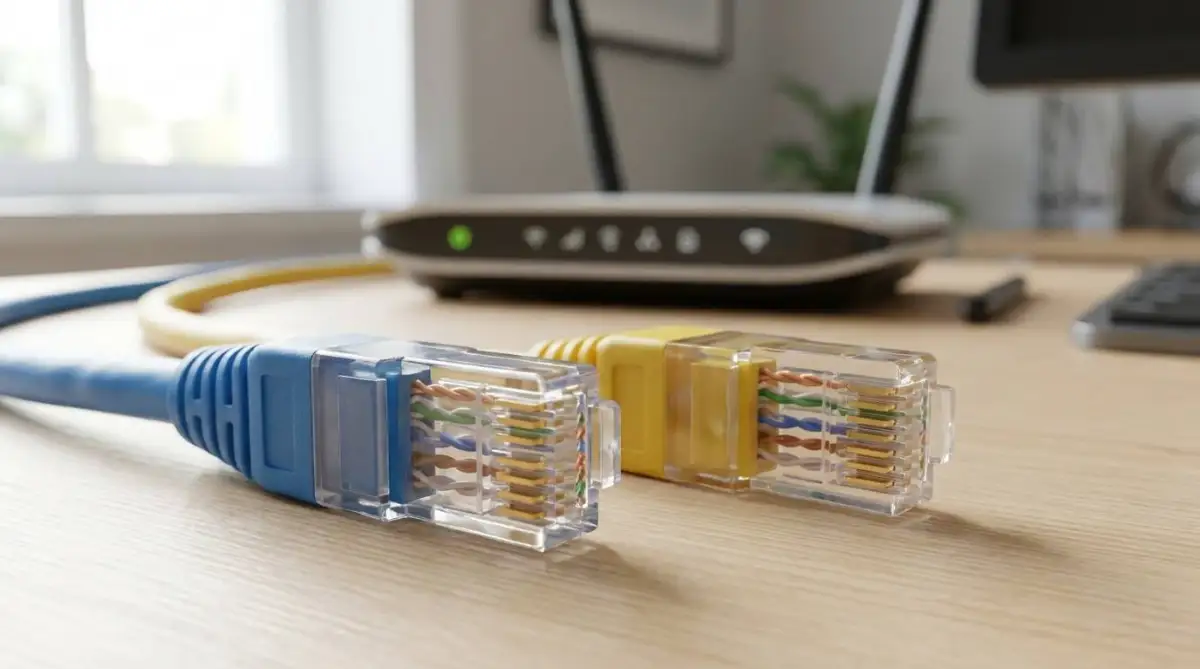
Just as an iPhone 15 is newer than an iPhone 12, a Category 6 cable is simply a newer, more advanced version of a Category 5 cable. Both use the exact same clear plastic connector at the ends, officially known as an RJ45 connector. The massive difference is entirely hidden beneath the rubber jacket.
The Speed Limit Trap of Older Cat5 Cables
Category 5 cables were introduced in the late nineteen-nineties for 100 Mbps. Modern internet plans offer 300 Mbps to 1,000 Mbps. If you use an old Cat5 cable on a modern gigabit connection, the cable acts as a hard physical bottleneck.
You could be paying eighty dollars($80) a month for blazing-fast internet, but your computer will only receive a fraction. It is a common mistake that forces people to search for ways to increase wifi speed without new router.
The Evolution of Cat5e (The Enhanced Middle Ground)
They released Cat5e where "e" stands for enhanced. A Cat5e cable is built to strict new standards that allow it to carry up to 1,000 Mbps, commonly known as Gigabit speed. For the vast majority of normal users, a Cat5e cable is still perfectly adequate.
The High-Performance Leap of Cat6 Cables
A Cat6 cable can process data at 10,000 Mbps (10 Gigabits). That is ten times faster than the previous generation. However, it can only maintain that 10 Gigabit speed for short distances, specifically under fifty-five meters. For a standard home office where the computer sits next to the router, the distance limitation does not matter.
The Invisible War Against Internal Noise
Inside every Ethernet cable, there are eight tiny copper wires twisted into four pairs. When data travels, signals bleed into each other called "crosstalk," like static noise on a bad radio station.
Inside a premium Cat6 cable, there is a solid plastic cross (called a spline) that physically separates the four pairs, drastically reducing static noise. Because the data arrives perfectly clean on the first try, your internet feels significantly smoother.
Dangerous Hardware Pitfalls That Destroy Speeds
Falling for the "Cat7" Marketing Scam
When people decide to upgrade, they assume a higher number is better and buy Cat7. While many sellers promote Cat7 as future-proof, Cat7 is not officially recognized by TIA/EIA and IEEE standards for structured cabling in the US.
True Cat7 requires special, heavy-duty grounding connectors (like GG45) that do not even fit into standard home laptops. For any normal household, buying a Cat7 is like buying jet fuel for a bicycle. Stick to a certified Cat6 or Cat6a cable.
How to Maintain a Lightning-Fast Network Long-Term
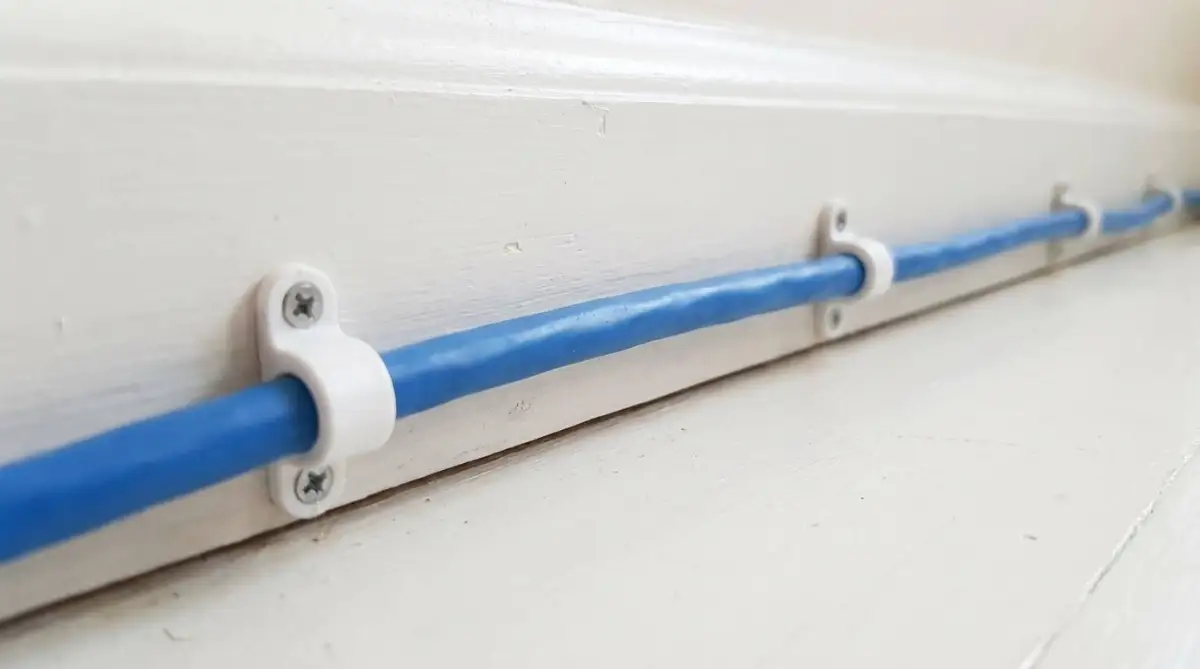
Never use metal staples or tight zip ties to pin your Ethernet cables against the baseboards. When you pinch the rubber jacket, you break the delicate internal twists.
According to official hardware installation guidelines provided by the Telecommunications Industry Association (TIA/EIA), you must maintain a proper bend radius (usually four times the cable diameter) and always use loose, curved plastic clips to secure networking cables to the wall.
For Cat7, many manufacturers promote it as future-proof, but according to Cable Matters, Cat7 is not recognized by TIA/EIA for standard home use and requires special GG45 connectors that don't fit normal laptops.
Furthermore, you must protect your router from heat. Taking ten minutes to learn how to clean dusty PC fans without static damage will teach you the same principles needed to keep your router running flawlessly.
Running Cables Under Heavy Furniture & Flat vs Round
We often run wires under heavy desks or sofas to hide them. This is disastrous. When you place a heavy desk leg on top, you crush the internal plastic skeleton. If you must run a wire across a room, use a cheap plastic floor cord cover. Also, flat cables look nice under carpets but are notorious for terrible performance because they cannot tightly twist the internal pairs.
If you are running a wire across your entire house, you must use a traditional, thick, round Cat6 cable. Taking these details seriously prevents headaches later, which is why learning about everyday habits ruining laptop battery lifespan is also critical.

Taking Total Command of Your Home Network
You do not have to accept a buffering, freezing digital life. By understanding the simple, physical differences between these wires, you can instantly eliminate the invisible bottlenecks choking your internet speed.
The secret to a flawless home network is not paying for an outrageously expensive monthly package; it is simply ensuring the hardware inside your house can handle the data.
A Personal Message From Me: I spent almost two years battling my internet provider over terrible speeds, completely unaware that a five-dollar wire I found in my basement was the real problem. The day I swapped it out for a proper Cat6 cable, my download speeds quadrupled instantly.
Smart Answers for Smooth Home Networking
Can I plug a Cat6 cable into an older computer that used Cat5?
Yes, absolutely. Ethernet cables are entirely backward compatible.
Will upgrading to a Cat6 cable make my Wi-Fi signal stronger?
No, but if you hardwire a Wi-Fi range extender back to your main router with Cat6, your overall wireless coverage will drastically improve.
How do I know what type of cable I am currently using?
Look closely at the smooth rubber jacket; the manufacturer will always have the words "Cat5e" or "Cat6" printed in tiny letters along the side.
Why does my internet still drop even with a brand new Cat6 cable?
If your wires are perfect but your connection still drops, the problem is likely related to software. You can quickly eliminate this by reading our guide on how to fix high cpu usage speed up computer.